
1 in 6 Learners, and the Barriers You Can’t See: A Plain-English Guide to Accessibility in VET
This article is based on the transcript of a live webinar session, transcribed by Zoom AI Companion.
Around 1 in 6 Australians lives with disability. According to the most recent Australian Bureau of Statistics Survey of Disability, Ageing and Carers, that figure has actually climbed to more than 1 in 5 – 21.4% of the population, or 5.5 million people. Whichever way you frame it, the message for Registered Training Organisations (RTOs) is the same: the chances are high that there is a learner in your cohort right now who has a disability of some kind.
And here is the part we tend to forget. You often can’t see it. Many disabilities are invisible. You can’t look at a student and recognise dyslexia, ADHD, chronic pain, anxiety or low vision. On top of that, disability frequently goes undisclosed. We encourage students to tell us about their support needs, but disclosure takes trust, and many learners simply don’t make it. So designing for accessibility isn’t about the one student who has ticked a box on an enrolment form. It’s about building learning that works for the learners you know about, and the ones you don’t.
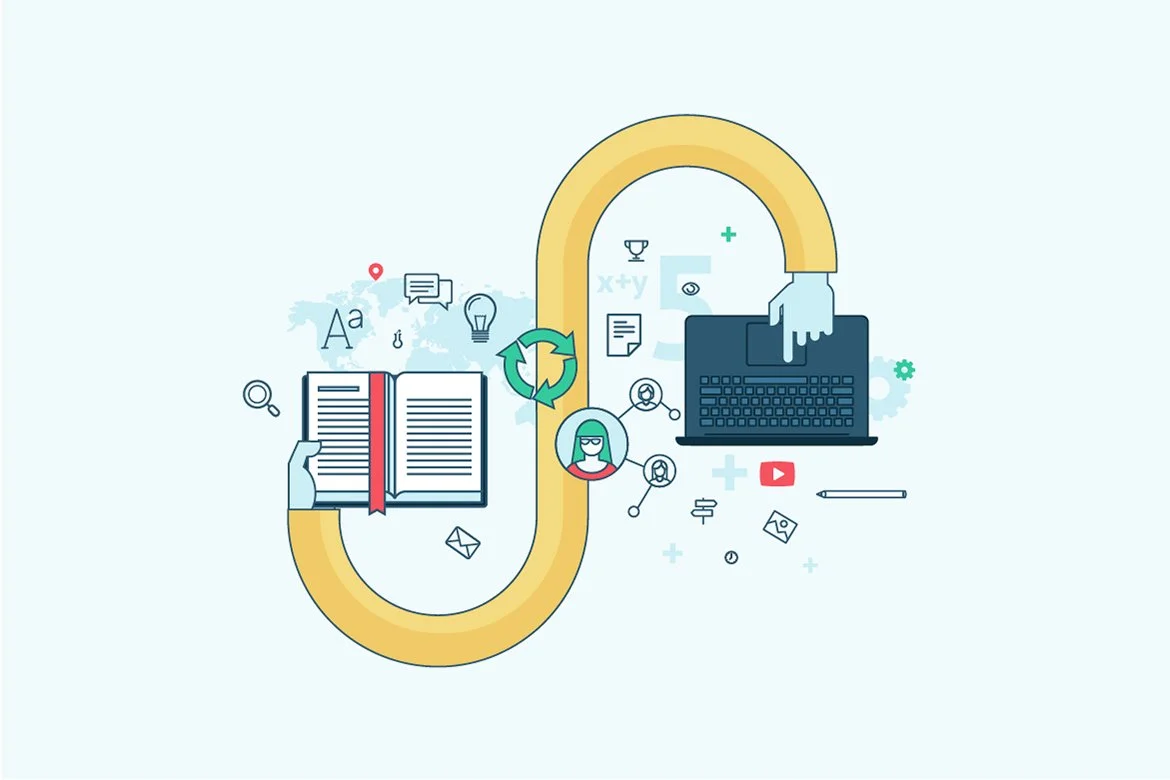
Accessibility is NO Longer Optional
We have always had a legal obligation here. The Disability Discrimination Act and the Disability Standards for Education that sit beneath it have applied to education providers for a long time. The 2020 review of those standards specifically called out that VET applies them poorly compared with higher education.
The difference now is that the Standards for RTOs 2025 close that gap. Under the previous standards, accessibility was largely covered by the catch-all requirement to comply with other relevant legislation. The 2025 Standards call these areas out specifically: enrolment, participation, curriculum and delivery, student support, and the elimination of harassment, with reasonable adjustment running across all of them.
For many RTOs, this will expose a gap. You may have a disclosure question on your enrolment form, but is there a documented process for responding to it? Do the staff handling enrolments understand how to support those learners? This is the kind of evidence the outcome standards expect you to be able to show: here are the barriers we identified, here is what we did about them, and here is the improvement in outcomes.
Don’t Forget the Digital Front Door
There’s a barrier most of us overlook entirely, and it has nothing to do with the classroom. It’s the digital front door.
We now expect students to find us online, enrol online, and communicate with us online before they ever touch a piece of learning content. For a learner with accessibility needs, or low digital literacy, that digital-first experience can be a barrier in itself. If they can’t get through the front door, the quality of your learning materials never even comes into it. Accessibility is much broader than e-learning. It runs through every digital touchpoint a student has with your RTO.
WCAG 2.2 in Plain English
If you’ve started reading about accessibility, you’ll have run into WCAG – the Web Content Accessibility Guidelines. The current version, WCAG 2.2, was published in 2023 and updated in 2024. It now has 87 success criteria, with new focus areas that everyone will recognise: authentication (those endless CAPTCHAs and “click all the traffic lights” tests), touch targets on mobile, and focus visibility.
You don’t need to memorise 87 criteria. The guidelines come down to four principles, neatly remembered as POUR. Content needs to be:
Perceivable
Operable
Understandable
Robust
Every piece of digital content you create can be checked against those four buckets. And the target RTOs are aiming for is Level AA – the same level expected of government websites. Not the aspirational AAA, just solid, achievable AA.
The First Wins are Genuinely Easy
Here is the key takeaway. Good accessibility practice helps everyone, not just learners with a disability. Closed captions help the student who’s hard of hearing, the busy part-time student watching a video on the train, and the learner who simply takes information in better by reading. That’s Universal Design for Learning in action: design for the edges, and you cater for the bulk of your students without needing one-off adjustments for each one.
The genuinely encouraging part is that your first steps don’t require a budget or a developer. They’re “quick wins” you can start applying to every new resource from today:
Closed captions on all your videos (and knowing why closed beats open)
Colour contrast that actually passes, using free checking tools
Alternative text that conveys meaning – and knowing when to mark an image as decorative instead
Proper heading styles, not just bold, bigger text
Descriptive links instead of raw URLs or “click here”
Exporting to PDF rather than printing to PDF, so your tags and structure carry across
None of these are hard. But the difference between doing them and doing them correctly is where most RTOs come unstuck – and it’s exactly what our webinar recording walks through, with live demonstrations of the tools and the step-by-step.
Reasonable Adjustment is Not Lowering the Bar
One myth worth clearing up, because I hear it constantly. Reasonable adjustment does not mean leaving a requirement out, or letting a unit slide because the student didn’t have the right equipment or enough time. That’s a gap in your assessment evidence.
Reasonable adjustment is when you remove a barrier (a time frame, a format, or the way a task is done) while the student still meets all evidence requirements in the unit of competency. If writing long answers isn’t actually a requirement of the unit, verbal questioning can be a perfect reasonable adjustment. If the unit requires completing forms in writing, that requirement stands. You change the conditions, not the competency.
The expectation under the standards is that you identify needs early, offer reasonable adjustments, agree on a plan with the student, and then document all of it – including the assessment that shows how it was adjusted. A policy on its own isn’t enough; you need the implementation and the evidence to match.
Where to from here?
You don’t need to audit every resource you’ve ever made by Friday. The realistic approach is a simple “from now on” rule: every new resource gets heading structures, alt text, set colours in your templates, descriptive links, captions on video, and a quick run through your built-in accessibility checker. Then you build in review points – when a resource is updated, when a student makes a complaint, or when you change your LMS.
Accessibility done this way stops being a compliance headache and becomes simply how you design good learning.
Want the full walkthrough?
This article is the high-level version. In the full webinar recording, Introduction to Accessibility: WCAG 2.2 and the Standards for RTOs 2025, I take you through all of it in practical detail, including live demonstrations of the free contrast and accessibility tools I use, how to write alt text that actually works, the heading and PDF export tricks that keep your documents compliant, and how to evidence your reasonable adjustments for audit..
It’s a big topic, condensed into just over an hour, and you can revisit it at your own pace, which, fittingly, is one of the accessibility principles we talk about in the session.
Purchase the recording here and start making your learning accessible to every student who walks through your door – including the ones you can’t see. We are partnering with VETQI to provide our webinar recordings, and the link will take you to the VETQI website where you will also be able to see other recordings available from VETNexus and Digital Literacy Licence.






Registered Training Organisations (RTOs) are increasingly relying on AI-generated quizzes uploaded to a Learning Management System (LMS) – a quick AI prompt, a neatly generated quiz, and up it goes, job done. Except…it isn’t.
While AI-generated assessments can be comprehensive and substantively sound, simply uploading them to an LMS without thoughtful adaptation often results in poorly designed, generally non-compliant assessment tools.